Doodle Coaster — Draw a Rollercoaster and Ride It
Doodle Coaster turns a single line into a roller coaster you can ride. Draw a rollercoaster with your finger or mouse, press Start, and ride your own track in first-person 3D. It is free and runs in your browser.
What Is Doodle Coaster?
Doodle Coaster is not a game with levels, timers or high scores. It is a drawing toy: whatever line you doodle becomes the track. Big drops, tall hills, wobbly bumps and full loops all work, because Doodle Coaster smooths your stroke into rails and then runs a real physics simulation over it.
The fun of Doodle Coaster is the moment your scribble becomes a ride. A lazy wave turns into a gentle family coaster. A steep cliff followed by a loop turns into a thrill ride that flips you upside down. Every doodle coaster is different, so you can draw a rollercoaster in ten seconds and still be surprised when the train leaves the station. Kids draw silly bumps, coaster fans draw tight loops and long camelback hills, and both get a ride that matches their line.
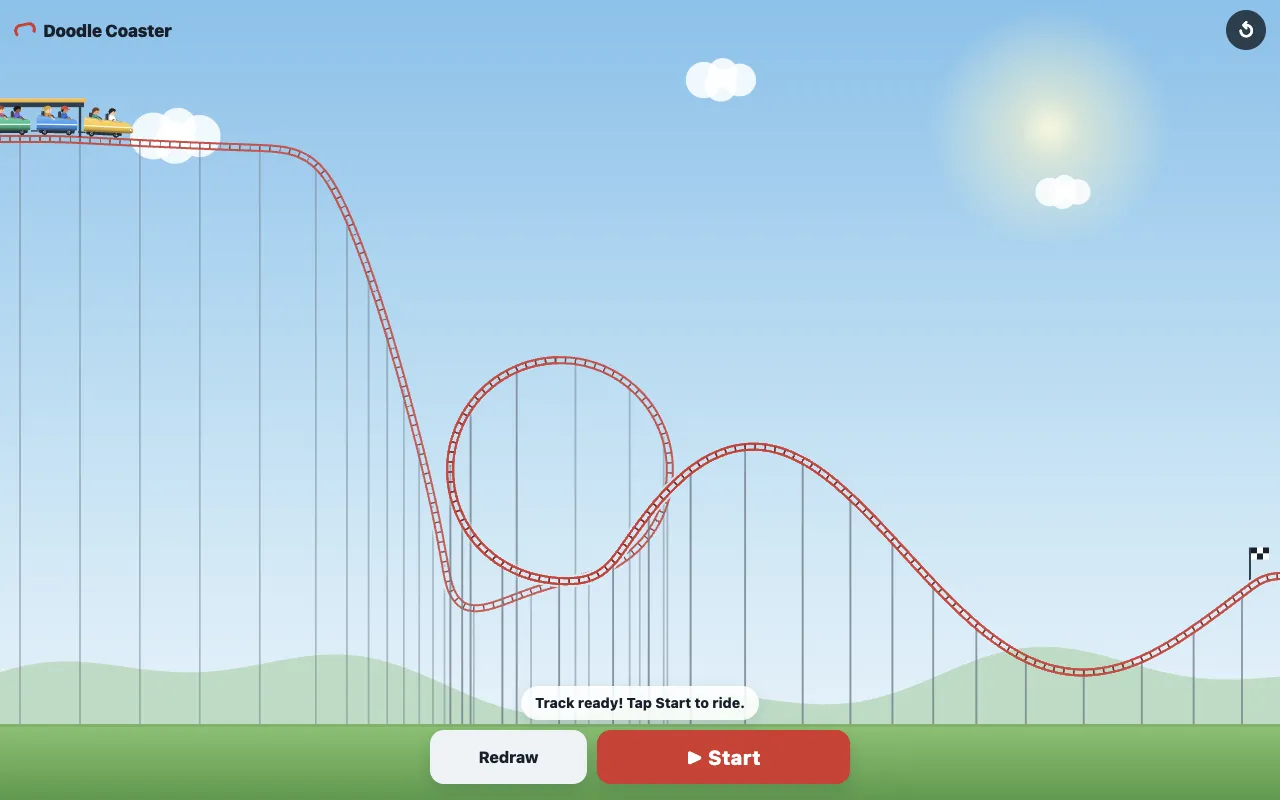
How to Draw a Rollercoaster in One Stroke
You only need one continuous line to draw a rollercoaster in Doodle Coaster. There is no grid, no track pieces and no editor to learn. Here is the whole process, from the first touch to the last station.
Draw your track with one line
Press anywhere on the sky and drag. On a phone or tablet use your finger; on a computer hold the mouse button or use a pen. Lift your finger and the line is finished. If the stroke is too short, Doodle Coaster asks you to draw a longer one. Doodle Coaster removes the shake of your hand, so your track comes out smooth while keeping the shape you drew.
Press Start and ride in first person
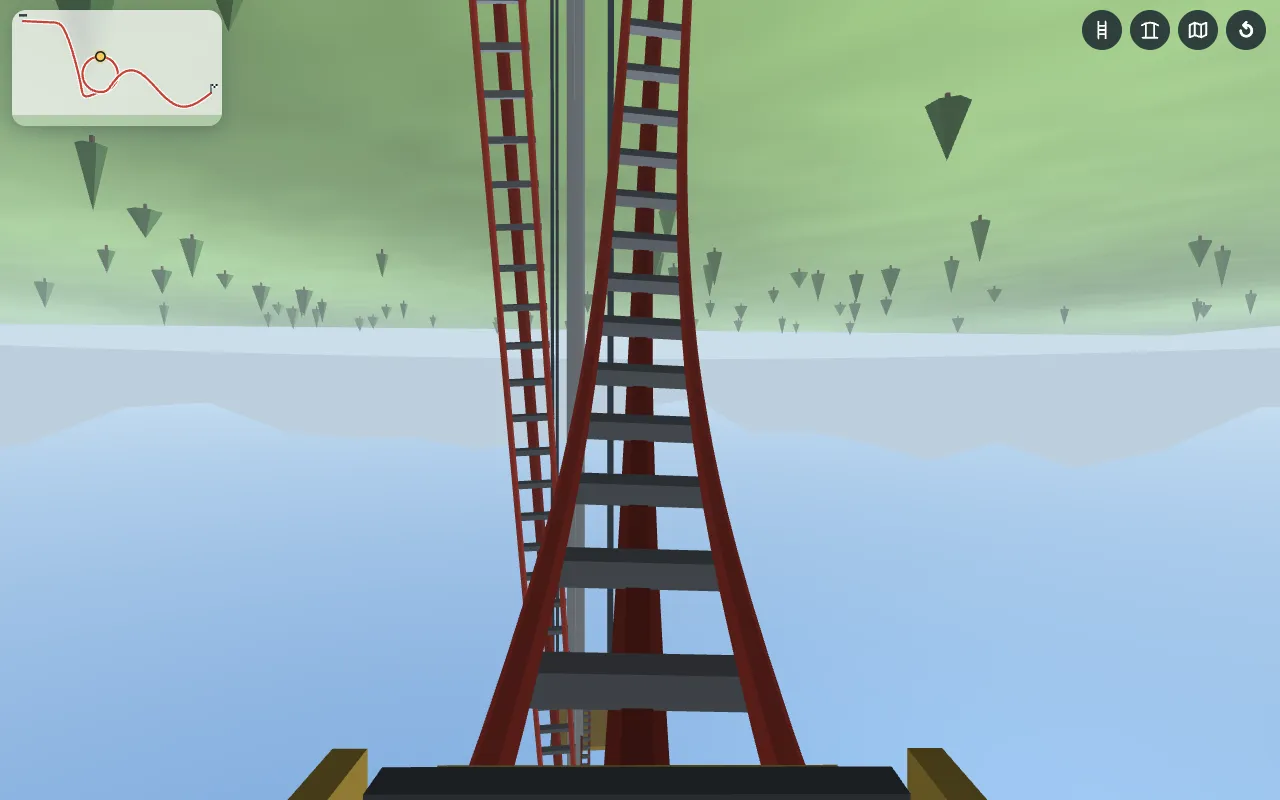
When the track is ready, a train waits at the station and two buttons appear: Redraw and Start. Press Start and the camera drops into the front seat. You ride your doodle coaster in 3D, with a small map in the corner showing where you are on the track.
Ride again, redraw or share
At the end of the track the train returns to the station. Ride the same doodle coaster again, redraw a new one, save a picture of your track, or share a link so friends can ride exactly the coaster you drew.
Why Your Track Rides the Way It Does
Doodle Coaster is a physics toy, not an animation, which is why it is so satisfying to draw a rollercoaster and then watch it work. The train starts slowly and gains speed only from gravity, so the height of your line is the engine of your doodle coaster. Air drag and rolling friction take a little speed away all the time.
- Start high. Begin your line near the top of the screen. The higher the first drop, the faster the ride.
- Loops need speed. If you draw a roller coaster loop right after a big drop, the train goes all the way around and you hang upside down at the top.
- Hills cost speed. A hill taller than your starting point is hard to climb. Keep later hills lower than the first one.
- Your loop stays your loop. Doodle Coaster smooths the direction of your line instead of its points, so a small tight loop stays small and a wide loop stays wide.
Features
Everything Doodle Coaster offers fits on one screen, and every feature works the same on phone and PC.
Any line becomes a ride
Draw a rollercoaster in one stroke, no tools to learn.
First-person 3D ride
Sit in the front car and feel every drop and loop.
Side view on older devices
If your browser cannot show 3D, you still ride from the side.
Mini map
A side view of the whole track with your position on it.
Track and pillar switches
Hide the rails or support pillars for a cleaner view while you ride.
Save image
Keep a picture of the doodle coaster you drew.
Share with friends
The link holds your track, so friends ride the same doodle coaster.
Phone, tablet and PC
Works with touch, mouse or pen, in English and Japanese.
Tips for Better Rides
A few simple habits make every doodle coaster faster, smoother and more fun to ride.
- Draw the first drop as steep and as tall as the screen allows. Speed is everything.
- Put a loop at the bottom of the biggest drop, where the train is fastest.
- Draw loops round, not pointy. A smooth circle gives a smooth ride.
- Use the whole width of the screen. A longer doodle coaster means a longer ride.
- End the track low and flat, so the train glides back into the station.
- Turn off the pillars in 3D view when you want an open, floating ride.
- Share your best doodle coaster and ask a friend to draw a rollercoaster that beats it.
- Stuck for ideas? Draw a rollercoaster shaped like your name, a mountain range or a heartbeat line, and see how it rides.
Frequently Asked Questions
Yes. Doodle Coaster is free to play in your browser, with no download, account or sign-up.
Yes. Doodle Coaster works on iPhone, Android phones and tablets with touch. Use the fullscreen button for the biggest canvas.
Draw a rollercoaster with a steep drop, then curl the line up and around in a circle near the bottom. The train needs speed, so put the loop right after a big drop.
Yes. After the ride, use Share. The link contains your track, so anyone who opens it rides the same doodle coaster.
Your browser or device does not support 3D graphics (WebGL). Doodle Coaster then shows the ride from the side. Updating your browser usually brings back first-person 3D.
No. Doodle Coaster is a free drawing toy. The goal is simply to draw a rollercoaster you enjoy riding.
No. Doodle Coaster runs in any modern browser on this page. Open it, draw a rollercoaster and ride it within seconds.